Beginner's Guide to the World Wide Web: Websites, Domains, Networks & More!
🌐 Yo, What's the Deal with the Web (World Wide Web)?
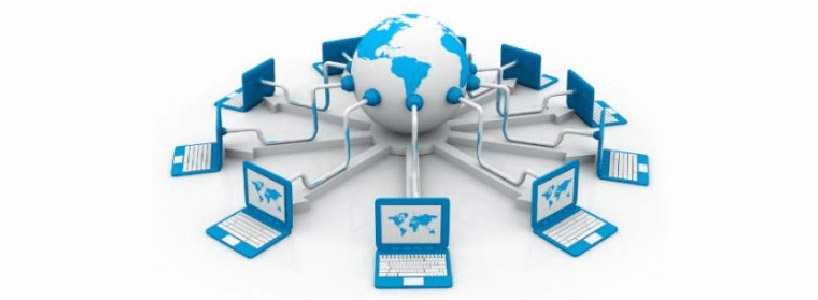
Hey there! The World Wide Web (WWW) is like the biggest hit on the Internet. It's where folks hunt for info, link up with friends, pick up new skills, grab deals while shopping, hustle at work, and toss around cool ideas. The Internet? It's this massive global setup of computers all hooked up together, and the Web is one of its top features. This is my second post on the blog—building off the first one where we chatted about getting started online. Stick around!
🌐 Website vs Webpage: Don't Get 'Em Mixed Up!
- Website – It's a bunch of connected webpages chilling under one domain, like
www.example.com. - Webpage – Just one single page or doc on that site.
💡 Imagine a website as your fave book, and the webpages are the chapters or pages inside it. Super simple, right?
🏷️ Domain Name? Yeah, That's Your Site's Address
A domain name is that easy-to-remember label for a website, think www.google.com. Without it, you'd be stuck memorizing some random numbers like 142.250.190.78. No thanks!
📄 What's Inside a Webpage? All the Good Stuff!
Webpages are packed with:
- Text stuff like headings, paragraphs, lists, and articles
- Pics – photos, banners, doodles
- Videos and tunes
- Links (those clickable hyperlinks)
- Menus and buttons to navigate
- Forms, tables, charts for data
- Animations and fun interactive bits
- Ads and files you can download
💻 Wanna Make Your Own Webpage? Here's the Scoop
- HTML – This builds the bones and fills in the content
- CSS – Makes it look pretty and styled
- JavaScript – Throws in the fun, interactive magic
- Fancy sites – Add backend stuff like PHP scripts and MySQL databases
🖥️ Web Servers & Clients: The Behind-the-Scenes Crew
- Web Server – Holds and dishes out the pages (think Apache or Nginx)
- Web Client – Your browser like Chrome, Firefox, or Safari that grabs and shows 'em
🌐 Computer Networks: Connecting the Dots
A network's all about linking computers to share goodies.
Types by Size:
- PAN – Your personal bubble network
- LAN – Local, like home or office
- MAN – City-wide setup
- WAN – Huge, like the whole Internet
Layouts (Topologies):
- Star
- Mesh
- Bus
- Ring
- Hybrid
How They Connect:
- Wired (Ethernet cables)
- Wireless (Wi-Fi, Bluetooth)
🌍 IP Addresses & DNS: The Address Book of the Net
- IP Address – Unique tag for gadgets (IPv4 or IPv6 styles)
- DNS – Turns domain names into those IP numbers
- Public IP – Your ISP gives it, show's up online
- Private IP – For your local home or work network
🔒 Protocols & URLs: The Rules of the Road
- HTTP (Port 80) – Basic HyperText Transfer Protocol
- HTTPS (Port 443) – The secure one with encryption to keep things safe
- URL – The full address, like
https://www.example.com/path/page.html
🔗 Hyperlinks: The Magic Connectors
Hyperlinks hook you up to:
- Another webpage
- A spot on the same page
- A file to download
Check this HTML snippet:
<a href="https://ou.ac.lk">Visit OUSL</a>
📌 Wrapping It Up
The World Wide Web is all about linking peeps, devices, and info worldwide. Getting the hang of web basics, networking, and protocols lets you surf safely, whip up your own sites, and really get how the internet ticks. If you're new to this, share your thoughts below—what part blew your mind?
© 2025 All rights reserved.


useful :)
ReplyDeleteSuper clear and easy to follow! 🌐
ReplyDeletethanks, follow for more 😉👉🏼👈🏼
Delete